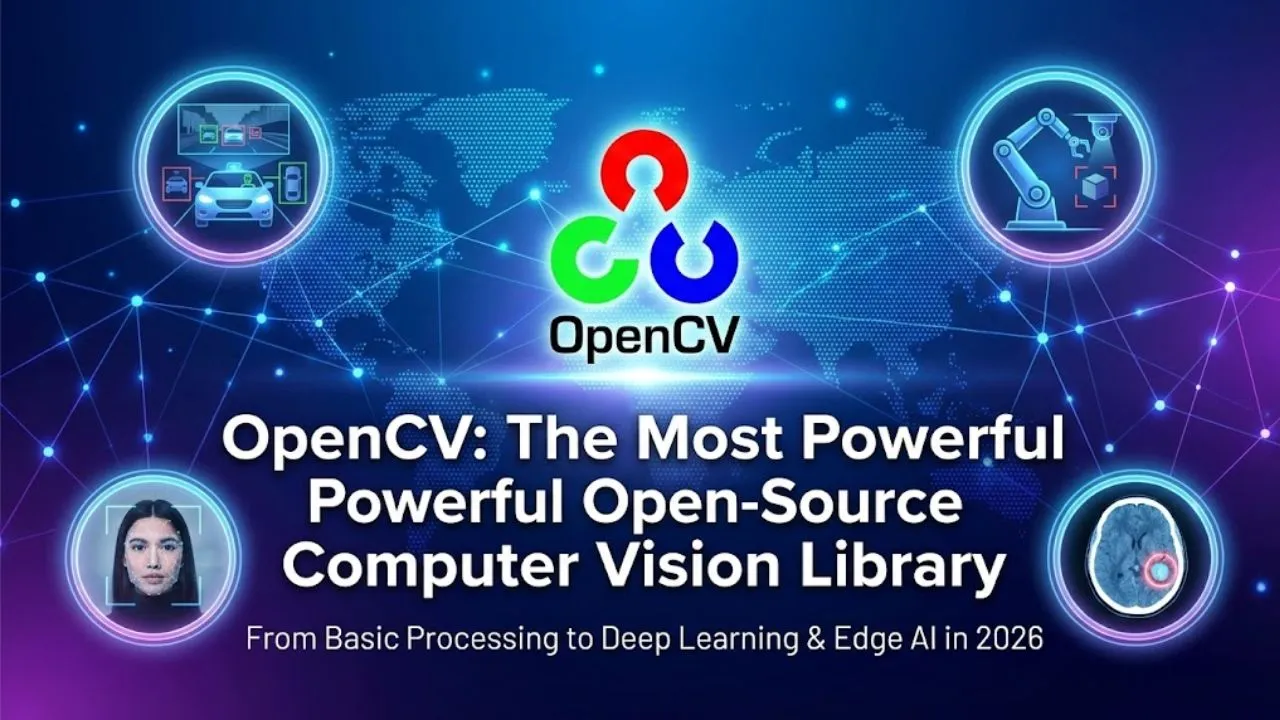
If you’ve ever worked on anything involving images or videos — from face detection in a security camera to object tracking in robotics, medical image analysis, augmented reality filters, or autonomous driving — chances are you’ve used (or will soon use) OpenCV.
OpenCV (Open Source Computer Vision Library) is the de facto standard for computer vision and image processing. It’s free, open-source, battle-tested in both academia and industry, and runs on almost every platform imaginable. As of 2026, OpenCV remains the backbone of most real-world CV applications — even as deep learning frameworks like PyTorch and TensorFlow dominate the headlines.
A Quick History (Why OpenCV Still Rules in 2026)
- 2000: Intel kickstarts the project to accelerate CV research.
- 2006: First major release (1.0) — already packed with classic algorithms.
- 2008–2012: OpenCV Foundation formed → community-driven, massive growth.
- 2016–2020: DNN module added → seamless integration with deep learning models.
- 2023–2026: OpenCV 5.x series — full G-API acceleration, WebAssembly support, better mobile/edge performance, native ONNX Runtime integration, and GenAI-friendly operators (segment anything, depth anything, etc.).
Today OpenCV is maintained by the OpenCV Foundation and a global community of thousands of contributors.
Core Strengths of OpenCV
| Category | What OpenCV Gives You | Why It Matters in 2026 |
|---|---|---|
| Image & Video I/O | Read/write images, videos, streams (RTSP, webcam, IP cameras, GStreamer) | Edge devices, surveillance, live inference |
| Basic Processing | Filtering, color conversion, resizing, rotation, thresholding, morphology | Pre-processing for any ML pipeline |
| Feature Detection | SIFT, SURF (patent-free alternatives), ORB, BRISK, AKAZE, FAST | SLAM, image stitching, 3D reconstruction |
| Object Detection | Haar cascades, HOG + SVM, DNN module (YOLO, SSD, Faster R-CNN, EfficientDet) | Real-time detection on CPU/GPU/edge |
| Segmentation | GrabCut, watershed, contour-based, SAM (Segment Anything Model) integration | Medical imaging, autonomous driving |
| Tracking | KCF, CSRT, MOSSE, MIL, median flow, optical flow (Farneback, Lucas-Kanade) | Video analytics, drone tracking |
| Pose & 3D | SolvePnP, camera calibration, stereo vision, ArUco markers, AprilTags | AR/VR, robotics, robotics hand-eye calibration |
| Deep Learning | Native DNN module, ONNX import, OpenVINO/TensorRT/DirectML backends | Deploy models from PyTorch/TF without rewriting |
| Performance | CUDA, OpenCL, Vulkan, oneAPI, NEON, AVX512 acceleration | Real-time on phones, Jetson, industrial PCs |
| Cross-Platform | Windows, Linux, macOS, Android, iOS, Raspberry Pi, Web (WASM), embedded | Deploy anywhere |
Real-World Use Cases in 2026
- Autonomous Vehicles — Lane detection, object detection/tracking, traffic sign recognition
- Medical Imaging — Tumor segmentation, X-ray analysis, endoscopy tool tracking
- Retail & Smart Stores — People counting, shelf monitoring, cashier-less checkout
- Manufacturing — Defect detection, OCR on labels, robotic pick-and-place
- Security & Surveillance — Face recognition, anomaly detection, license plate reading
- AR/VR & Mobile — Face filters (like Snapchat/Instagram), pose estimation for fitness apps
- Agriculture — Crop disease detection, yield estimation from drone imagery
- Robotics — Visual SLAM, object grasping, gesture control
Read Also: RapidMiner: The All-in-One Platform for End-to-End Data Science and AI
Quick Code Examples (Python)
- Basic Image Reading & Face Detection
Python
import cv2

img = cv2.imread('photo.jpg')
gray = cv2.cvtColor(img, cv2.COLOR_BGR2GRAY)

face_cascade = cv2.CascadeClassifier(cv2.data.haarcascades + 'haarcascade_frontalface_default.xml')
faces = face_cascade.detectMultiScale(gray, 1.1, 4)

for (x, y, w, h) in faces:
    cv2.rectangle(img, (x, y), (x+w, y+h), (255, 0, 0), 2)

cv2.imshow('Faces', img)
cv2.waitKey(0)- Real-Time YOLOv8 Detection (with DNN module or Ultralytics)
Python
from ultralytics import YOLO
import cv2

model = YOLO('yolov8n.pt')  # or yolov8s.pt, etc.
cap = cv2.VideoCapture(0)

while True:
    ret, frame = cap.read()
    if not ret: break

    results = model(frame)
    annotated = results[0].plot()  # draws boxes & labels

    cv2.imshow('YOLOv8', annotated)
    if cv2.waitKey(1) & 0xFF == ord('q'):
        break

cap.release()
cv2.destroyAllWindows()
Why Developers & Companies Still Love OpenCV in 2026
- Zero licensing cost — Apache 2.0 license
- Huge community — Stack Overflow, GitHub issues, forums, YouTube tutorials everywhere
- Production proven — Used in billions of devices (phones, cameras, cars, drones)
- Edge-friendly — Runs on Raspberry Pi, Jetson Nano, Android/iOS, Web browsers
- Interoperable — Works perfectly with NumPy, PyTorch, TensorFlow, ONNX, OpenVINO
- Fast updates — Active 5.x branch with modern features (SAM2 support, better DNN backends)
Final Verdict
OpenCV is not “old school” — it’s battle-tested infrastructure. While newer libraries (Mediapipe, YOLOv8 standalone, SAM) shine for specific tasks, OpenCV remains the Swiss Army knife of computer vision: reliable, fast, portable, and endlessly extensible.
If you’re serious about computer vision — whether for research, startups, enterprise products, or hobby projects — OpenCV should be in your toolbox. It’s not going anywhere.
Disclaimer: This article is an educational overview of OpenCV based on its official documentation, GitHub repository, community usage patterns, and publicly available information as of February 2026. Features, performance, and support for specific models/hardware can change with new releases. Always check the official OpenCV website (opencv.org) or GitHub (opencv/opencv) for the latest version, installation instructions, and licensing details.