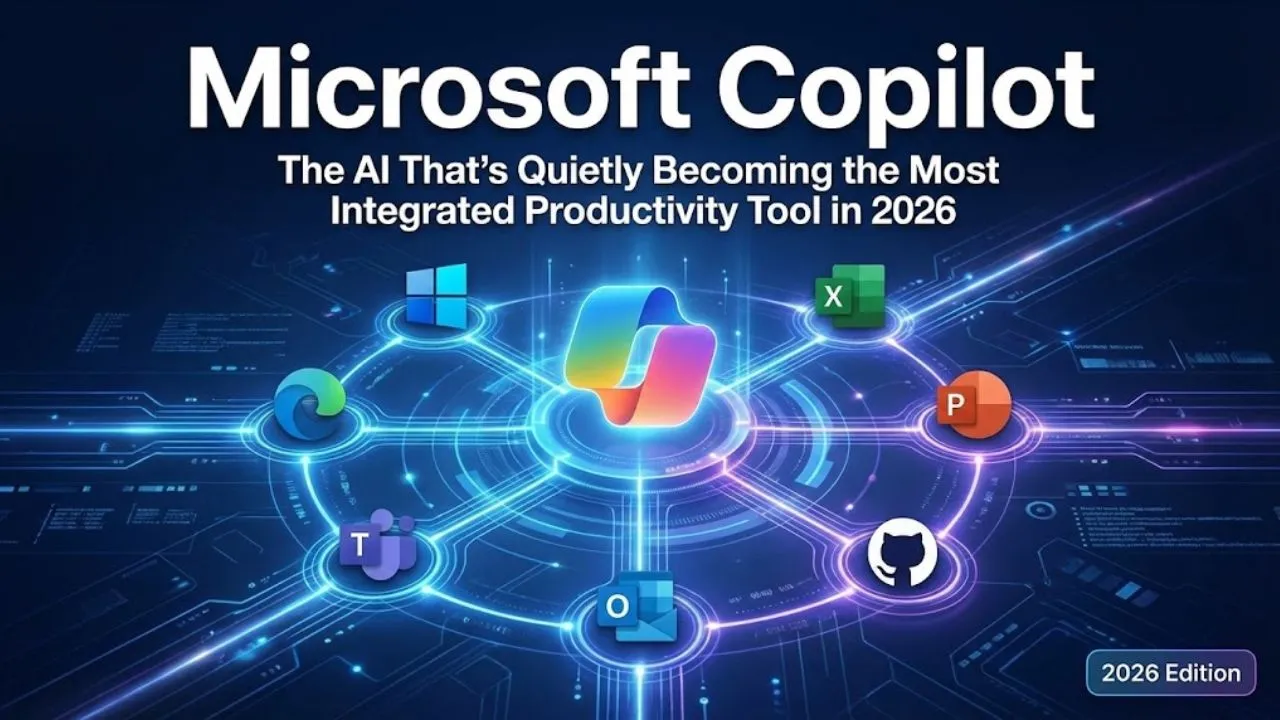
Microsoft Copilot is no longer just “that sidebar in Windows” or “Bing Chat rebranded.” In 2026, Copilot has evolved into one of the most deeply embedded and versatile AI assistants available — especially for anyone who already lives in Microsoft 365, Windows 11, Edge, Teams, PowerPoint, Excel, Outlook, GitHub, or Azure.
While most people still think of Copilot as a slightly better version of ChatGPT inside Microsoft apps, the real story is much bigger: seamless cross-app memory, enterprise-grade security, native integration with your actual work files, and agentic capabilities that are starting to feel like a true digital co-worker.
Here’s the full picture of Microsoft Copilot in February 2026 — including features and behaviors that many users still haven’t discovered or fully understood.
1. Copilot Is Now a Family of Specialized Models (Not One Monolith)
Microsoft stopped treating Copilot as a single model in late 2024. Today you’re actually interacting with:
- Copilot Everyday / Free → Powered by GPT-4o-mini-class model + small Gemini 2.0 Flash-like variants (fast, cheap, ~128k context)
- Copilot Pro → GPT-4o + early Gemini 2.5 Flash + Microsoft-tuned priority routing (~$20/user/month)
- Copilot for Microsoft 365 → GPT-4o + o1-style reasoning + internal Microsoft grounding models (1M+ token context on files & emails)
- Copilot Studio agents → Custom GPT-like agents built on top of Azure OpenAI + Phi-4 / Llama 3.1 fine-tunes
- Copilot in GitHub → Specialized coding model (Codex 2 lineage + StarCoder2 + internal Microsoft code training)
Most free users get rotated between 2–3 preview models daily — that’s why some days Copilot feels noticeably smarter or faster.
2. The Real “Memory” Power Most People Miss
Copilot has three layers of memory that almost nobody talks about:
- Short-term chat memory (last 1–2 weeks of conversation) — free & Pro
- Microsoft 365 enterprise memory (your emails, OneDrive files, Teams chats, calendar) — only in business/enterprise plans
- Copilot Studio custom memory — when you build your own agent, you can give it permanent knowledge base (PDFs, SharePoint sites, Notion exports, internal wikis)
Hidden gem: On Microsoft 365 Business Premium / E3/E5 plans, Copilot can now reference your entire recent OneDrive + Outlook inbox + Teams history in one prompt — something ChatGPT, Claude, and Gemini still can’t do natively without manual uploads.
Example prompt that blows minds when it works: “Summarize all emails and Teams messages about the Q1 marketing budget from the last 60 days and suggest 3 cost-saving ideas.”
3. Copilot Vision & Screen Understanding (Still Under-Promoted)
Since late 2025, Copilot in Windows 11 + Edge + mobile apps has live screen + camera vision:
- Share your screen → “Explain this error message” or “How do I format this table in Excel?”
- Point phone camera → “What plant is this?” or “Read this receipt and add it to my expense report”
- In PowerPoint → “Make this slide look more professional” (rewrites layout + suggests visuals)
This is already live for many Copilot Pro + Microsoft 365 users — but Microsoft hasn’t marketed it aggressively yet (probably saving the big campaign for Copilot 2.0 branding).
4. The “Copilot Agents” Ecosystem (Most People Haven’t Tried It)
Copilot Studio lets you build custom agents (similar to Claude’s agents or OpenAI’s GPTs):
- Sales outreach agent (pulls CRM data + drafts personalized emails)
- HR onboarding agent (answers employee questions from internal policies)
- Content repurposing agent (turns blog → LinkedIn post → tweet thread → email newsletter)
- Meeting summarizer agent (reads Teams transcript + creates action items)
These agents can:
- Run on schedule (daily report generator)
- Trigger from events (new email → auto-reply draft)
- Chain together (research agent → writer agent → editor agent)
Most users never touch Copilot Studio — but it’s included in many Microsoft 365 Business/Enterprise plans and is one of the fastest ways to automate repetitive knowledge work.
Read Also: Gemini: Google’s All-in-One AI That’s Quietly Becoming the Most Versatile Model in 2026
5. Speed & Cost Advantages People Overlook
- Gemini-like speed: Copilot 2.0 Flash variants are often 2–3× faster than GPT-4o on similar prompts
- Pricing edge: Copilot Pro ($20/user/mo) gives priority GPT-4o access + 365 integration — cheaper than ChatGPT Plus + Claude Pro combined for Microsoft users
- Free tier — Microsoft is quietly giving free Copilot access to more Windows 11 users (A/B testing) — many don’t even realize they already have it
Quick Comparison (February 2026 – Real-World Feel)
| Model / Assistant | Context Window | Real Speed | Microsoft 365 Integration | Multimodal Memory | Agent Building | Price (individual) |
|---|---|---|---|---|---|---|
| Gemini 2.5 Pro | 1M+ | Very fast | Moderate (Google Workspace) | Very strong | Good | ~$20/mo |
| ChatGPT (GPT-4o / o1) | 128k–200k | Fast | None | Good | Very good | $20/mo |
| Claude 3.5 Sonnet | 200k | Medium | None | Decent | Excellent | $20/mo |
| Microsoft Copilot | 128k–1M+ (365) | Fast | Deepest possible | Strong | Very good | $20–30/mo (Pro) |
| Grok 3 | 1M (premium) | Fast | None | Good | Good | SuperGrok ~$16–30/mo |
Bottom Line – Why Copilot Is Quietly Winning for Real Work
Most people still use Copilot like a slightly better Bing Chat. The reality is far more useful:
- Deepest integration with your actual work files (email, docs, Teams, calendar)
- Persistent memory across Microsoft 365 apps
- Strong agent-building tools (Copilot Studio) included in many business plans
- Live screen + camera vision already rolling out
- Fast, affordable, and improving rapidly
If you live in Microsoft’s world (Windows, Office 365, Teams, Outlook, Edge), Copilot is already the most practical daily AI companion — even if Microsoft hasn’t shouted about its full power yet.
Quick test you can do right now: Open Copilot in Edge or Windows → share a screenshot of your inbox → ask: “Summarize urgent emails from last week and draft replies for the top 3.”
You’ll see why it’s quietly becoming the most useful AI for actual work.
What’s your favorite Copilot feature or hidden trick? Drop it in the comments.
Disclaimer: This article compiles publicly observable behavior, Microsoft announcements, Microsoft 365 integration details, and credible community reports as of February 2026. Some capabilities (especially 2.5 Pro, agentic features, multimodal memory rollout) are still in phased release or A/B testing. Always verify the latest features, context limits, pricing, and availability directly on copilot.microsoft.com or microsoft.com/copilot.